
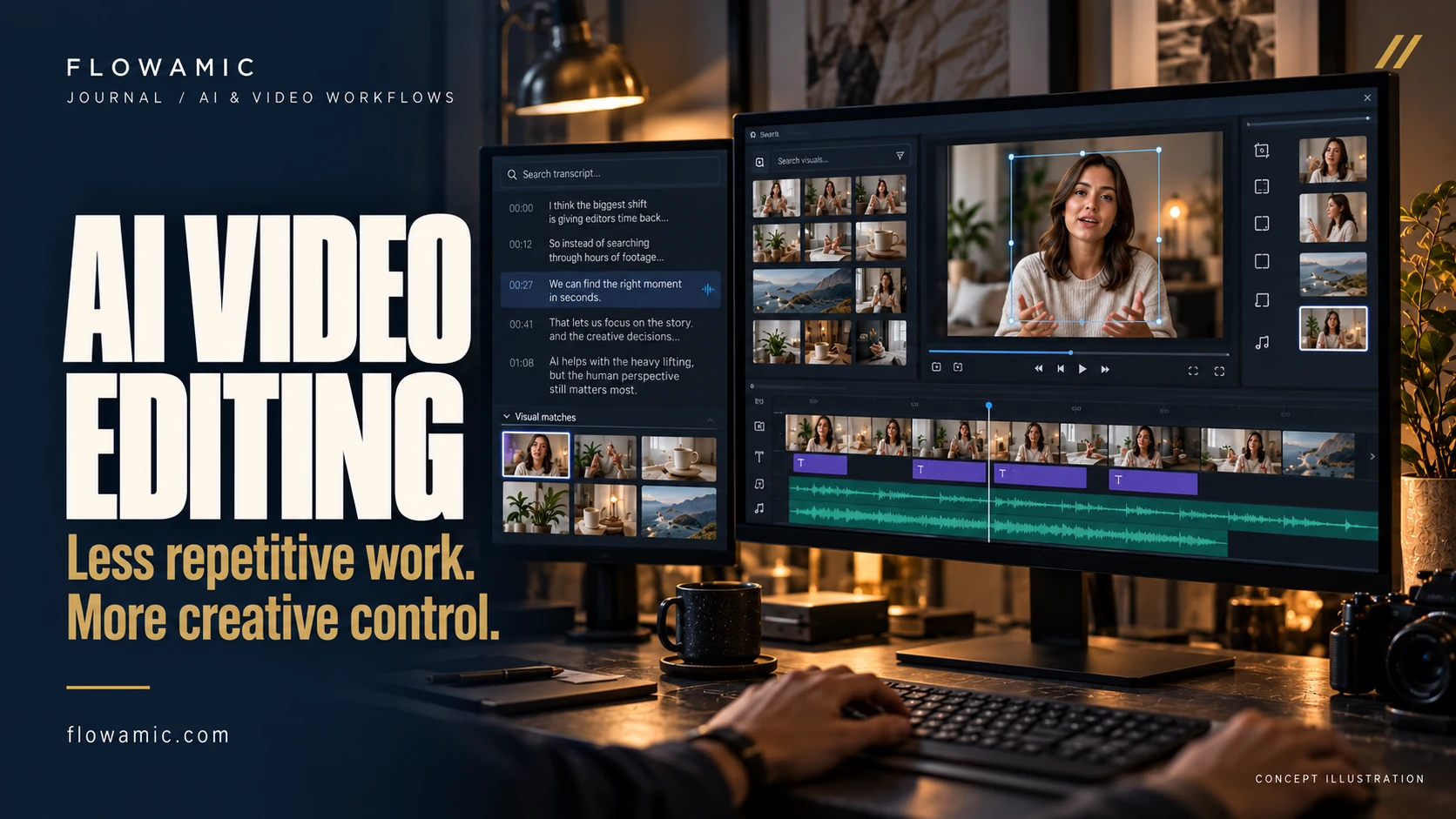
AI video editing can remove repetitive steps from post-production: finding shots, assembling spoken content, improving dialogue and preparing new formats. The useful question is where it helps an editor deliver a better video with reliable control.
What changed: AI tools are moving into the timeline
AI video editing is becoming more useful at the point where editors already work. On 8 September 2026, Adobe announced new AI-powered Premiere and After Effects workflows, including timeline-based generative media. On the same date, Runway announced plugins for Premiere Pro and After Effects that bring generation, editing and upscaling into those applications.
The practical benefit is fewer export, browser-upload and re-import steps when a task fits the tool. These are September announcements reviewed on 22 October 2026, rather than launches from today. Availability varies by feature, app version and plan; some announced capabilities are in beta. Runway says its plugin is free to download, while generation requires a paid plan and uses plan credits.
1. Find useful footage without opening every clip
Searching a large interview or B-roll library can take longer than making a cut. Adobe’s Media Intelligence documentation explains how AI-powered search helps locate media using visual content alongside other searchable information. An editor can look for a relevant scene or action before reviewing the actual source clip.
For a product video, try a precise visual description such as a person holding the product or a close-up of packaging. Treat the results as candidates. Check focus, continuity, permissions and whether the shot genuinely supports the message before adding it to the sequence.
2. Build a first assembly from the transcript
Text-Based Editing in Premiere connects a transcript to spoken footage, allowing text selections and rearrangements to shape the corresponding video edit. It is especially useful for interviews, podcasts, tutorials and founder-led content where the structure begins with what somebody says.
Start by marking the strongest explanation, then remove repetition and assemble a coherent argument. Watch the resulting sequence in context: a technically clean deletion can still change someone’s meaning or create an awkward jump. The transcript helps find and arrange material; the editor still owns the story.
3. Clean up dialogue, then judge the result by ear
Enhance Speech can reduce background noise and improve dialogue clarity. Its Mix Amount control lets editors balance the enhanced and original audio. This can make the initial cleanup of a talking-head clip easier without sending every small adjustment through a separate audio application.
Listen on headphones and ordinary speakers, particularly around breaths, consonants and room tone. Excessive processing can make a voice feel unnatural. Keep an original copy and compare at a similar listening level before deciding which treatment belongs in the final mix.
4. Adapt a landscape edit for vertical delivery
Auto Reframe creates a sequence for a target aspect ratio and applies reframing to its clips. For an editor turning a long video into a vertical cut, that provides a useful starting point for following the important action.
Review every shot. Multiple speakers, fast movement, product details and screen recordings may need manual keyframes. Then check captions, logos and platform interface areas separately. Automatic subject tracking does not decide what a viewer must read, or guarantee that a wide composition will work in a narrow frame.
5. Explore supporting visuals inside the edit
Adobe’s Generative Media tool supports generating media from a timeline range, prompt and optional reference frames, with supported models. Runway’s integration similarly reduces the need to move between an editing application and a separate generation workflow.
This is useful for exploring an illustrative cutaway or trying a visual direction before committing more production effort. Label concept material accurately. Review continuity, hands, typography, brand details and rights before client approval. A generated product shot should never be presented as evidence of a real product feature or customer result.
6. Solve a small timing gap with an extension
Generative Extend can add frames at the beginning or end of a clip, helping with a short reaction hold, transition or ambient sound gap. Adobe documents an important limit: it cannot create or extend spoken dialogue; dialogue is muted during extension. Music-containing clips are also ineligible for audio extension.
Use it for a specific timing problem and inspect the boundary closely. For factual interviews or testimonials, preserve what the person actually said and did. A conventional trim, alternate angle or additional source footage can still be the better editorial decision.
A practical AI-assisted editing workflow
Begin with a clear brief: audience, message, platform, duration and approval owner. Organize the original footage, create a transcript where useful and use search to find supporting shots. Assemble the story before polishing effects. Test speech cleanup on a small sample, then prepare platform-specific sequences and review the final exports.
Measure the task, not the hype. Compare the time spent on a representative manual task with the assisted version, including corrections, render time and review. Flowamic is not claiming a fixed percentage improvement: results depend on the footage, hardware, tool and quality standard.
For generative tools, confirm client permission to upload material, check the applicable plan and usage terms, and keep a record of generated assets. Set aside time for human review of meaning, pacing, audio, captions and visual consistency. The aim is a dependable workflow with more attention available for creative decisions.
Learn the workflow with Kelsey Brannan / Premiere Gal
CREATOR SPOTLIGHT / EDITING EDUCATION
Kelsey Brannan · Premiere Gal
Kelsey Brannan is the founder, host and creative director of Gal Media Creative LLC. The company is a video editing house and marketing business behind the Premiere Gal channel, educational courses, motion graphics and video templates.
VIEW KELSEY’S LINKEDIN PROFILE ↗ · ABOUT GAL MEDIA CREATIVE ↗
Her Premiere course curriculum moves from project organization and timeline editing through captions, audio, color, multicam and final delivery. Episode 8 specifically covers AI-enhanced editing: text-based editing, AI speech enhancement, auto-reframing and third-party AI tools.
How her teaching connects to this guide
- Transcript to first cut: our second workflow explains the editorial use of a transcript; her text-based editing lessons are a practical place to learn the application steps.
- Clearer dialogue: our third workflow explains speech cleanup and listening checks; her audio and AI speech lessons cover the related editing techniques.
- Landscape to vertical: our fourth workflow explains reframing and manual review; her auto-reframe teaching connects directly to that task.
Use this Flowamic article to decide which task is worth improving, then use the relevant Premiere Gal lesson to practise the technique. Flowamic’s video editing service brings the brief, edit, review and delivery together for a finished project. The connection is educational; no collaboration or endorsement is implied.
From tools to a finished video
Good delivery still depends on a clear hook, appropriate pacing, readable captions and an approval process. Explore Flowamic’s short-form editing guide or UGC ad editing checklist for the decisions surrounding the tools.
Watch an actual Flowamic portfolio video to review a finished edit. The sample is included as portfolio work; it is not evidence that any specific AI feature described here was used in its production.
Planning your next edit? Share your footage, reference style, delivery formats and deadline. Flowamic can help scope the edit and the review process.
EXPLORE VIDEO EDITING ↗Common questions
Will AI replace a video editor?
These tools can assist with defined tasks. They do not establish the client’s objective, judge every narrative choice or take responsibility for the finished video. Human review remains part of a professional workflow.
Which AI editing feature should I try first?
Start with one repeatable problem: transcript-based assembly for spoken content, footage search for a large library, or speech cleanup for noisy dialogue. Compare the result with your existing method before expanding the workflow.
Are AI video editing tools free?
Costs and access vary. Check the application subscription, generation credits, feature availability and any third-party plan before including a tool in a production quote.
Sources and further reading
Primary announcements, documentation and creator resources reviewed on 22 October 2026.